Mocha for SaaS & software
Customer testimonials for your homepage and pricing page, with consent from the start
Instead of copying quotes out of tickets and chats, ask your customers directly: with an invitation after onboarding, a link in your product or a QR code at your booth. Mocha stores their consent with the exact wording and time, and shows the approved testimonials on your website.
- Servers in Germany
- Consent with audit log
- No credit card needed
Sound familiar?
Software companies that want real voices on their website often run into the same things.
The best praise sits in a support ticket or chat and gets copied onto the pricing page with a name and company. There is often no clear permission, and later nobody knows what the person agreed to.
Your champion at the customer company is happy to say something nice, but doesn't want their full name and company on your website. Anonymizing each quote by hand means yet another round of emails.
The quotes on your homepage and pricing page date from the last relaunch, because every new one has to be collected, retyped and added to the CMS first.
How Mocha solves it
What changes with Mocha.
Consent before every testimonial: wording, version and time are stored and can be exported as a CSV log. A personal link lets people withdraw consent, and the testimonial then disappears from your widgets.
Name display you choose: full name, first name with initial, initials only or anonymous. With initials or anonymous, neither photo nor job title is shown, and each person can also hide their own name.
Invitations at the right moment: by email after onboarding or a milestone, one by one or to many at once, or with a link in your product and signature. If they like, customers record their testimonial as a video in the browser.
QR code for your booth and events: as a poster, table stand or business card, it leads straight to the form. Printed codes stay valid even if you change the form later.
If your company has a Google Business Profile, you can import reviews from it and show them next to the testimonials from the form in one place on your website, without retyping anything.
What this can look like
From onboarding to a quote on the homepage
A company that makes scheduling software for trades businesses emails new customers two weeks after onboarding. A dispatcher opens the link, writes two sentences about how job planning works for her now, picks the name display “First name with initial” and confirms the consent text. The support team approves the testimonial, and it then appears in the hero quote on the homepage. A poster with a QR code hangs at the trade fair booth, and anyone who scans it lands in the same form. If the dispatcher withdraws her consent later, the testimonial disappears from the widgets.
An example for illustration, not a customer case.
Widgets that suit you
One line of code, and approved reviews appear on your website.
Hero quote
One customer quote set large under the headline of your homepage, optionally rotating with others, always taken from approved testimonials.
See the widgetHighlights band
Short quotes as a running band between two sections, for example above the pricing table, so visitors comparing plans can read who uses your product.
See the widgetReview wall
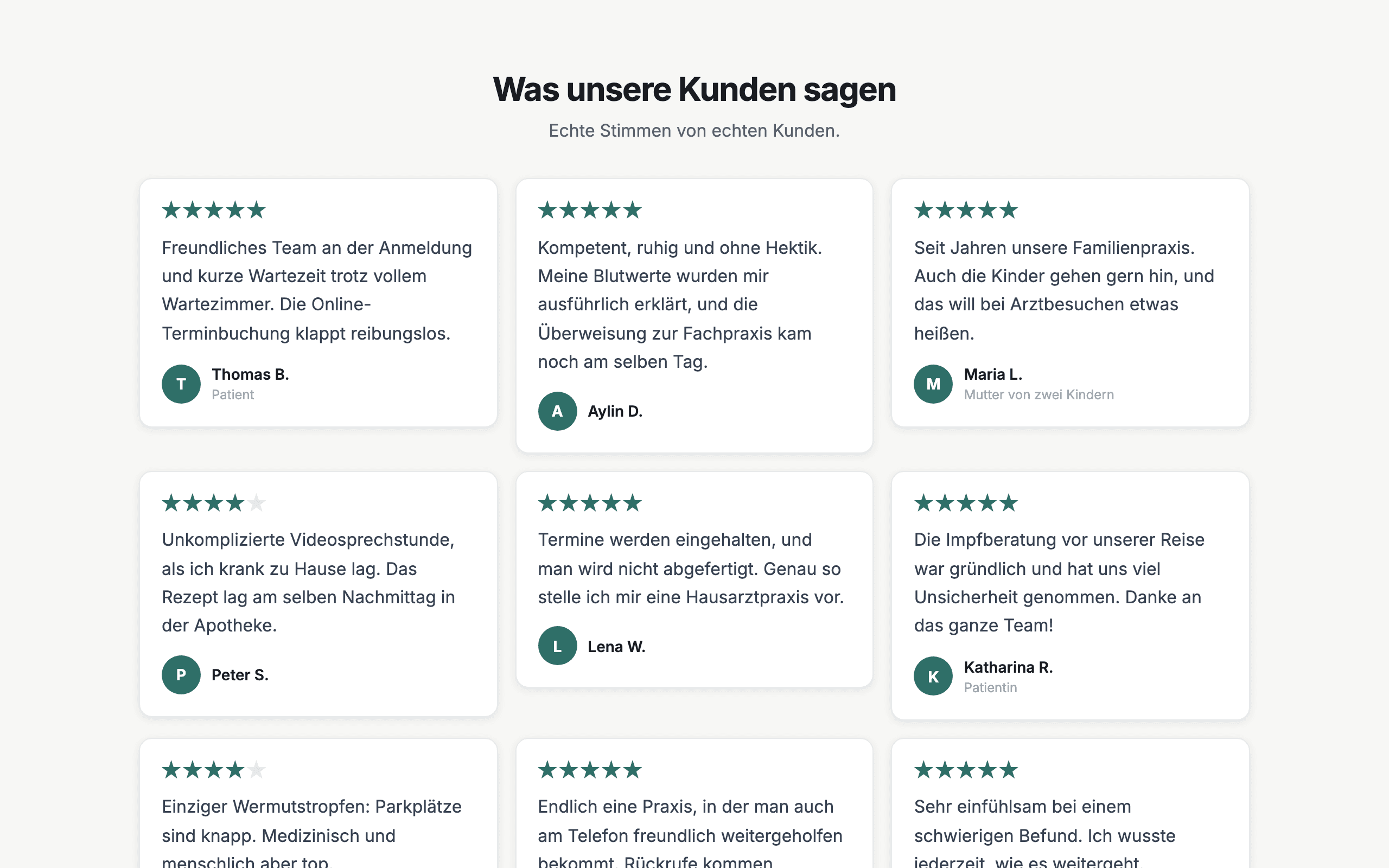
All approved testimonials as cards on your references page, video testimonials included. New ones appear on their own, without touching the page.
See the widgetWhat you get
- Versioned consent
- Name display you choose
- Withdrawal by link
- Invitations by email
- QR code for trade fairs and events
- Video testimonials
- Approval before publishing
- Widgets for your website
Frequently asked questions
How does consent work, and what happens when someone withdraws it?
Before sending, each person confirms the consent text. Mocha stores the wording, version and time and lets you export the log as a CSV. A personal link lets them withdraw consent at any time, and the testimonial then no longer appears in any widget. Which texts suit your company is best checked with your data protection advisor; Mocha is not legal advice.
Where is the data stored?
The application and database run on servers in Germany (Hetzner). Photos and videos are stored by the EU provider Bunny.net. For emails and AI features, the content they need is sent to service providers in the USA (Resend, Anthropic); the details are in the privacy policy.
Can I show my Google reviews as well?
Yes, if your company has a Google Business Profile. You import reviews from it into Mocha, by hand on every plan and additionally every day automatically on Pro, and show them next to the testimonials from the form, marked “via Google”. Google returns only a small selection per request and decides which, and imported reviews have no consent recorded in Mocha. Without a Google profile you don't need the import: testimonials from the form work fine on their own.
Can I use the QR code at trade fairs and events too?
Yes. You design the code in the dashboard as a poster, table stand, business card, sticker or email signature and download it. It contains only the address of your form, so printed codes stay valid even if you change the design or questions later. On Pro you also get a print-ready PDF and your logo in the code.
When and how do I ask customers for a testimonial?
With an email invitation, for example after onboarding or a milestone, one by one or to many at once. You can see who has replied, and every invitation includes an unsubscribe link. Alternatively, put the link in your product, your help center or your email signature. If they prefer, people record their testimonial as a video right in the browser.
My customers don't want to appear with their full name. What then?
Set the name display to “Initials only” or “Anonymous”, and neither photo nor job title is shown. Each person can also hide their own name. You can also set it up so every testimonial appears only after your review.
Show testimonials that your customers have explicitly agreed to.
Free and without a credit card. Set up in ten minutes.
Start for free