Mocha for Gyms
What members tell you at the front desk can now appear on your website
People choosing a gym compare options on Google and want to know what training with you feels like. Mocha collects your members' feedback with consent, optionally without their full name, and shows it on your website next to your Google reviews.
- Servers in Germany
- Consent with audit log
- No credit card needed
Sound familiar?
Gyms and studios of every size know these situations, from boutique studios to large fitness clubs.
Prospects compare gyms on Google, while your own website often shows only prices, a class schedule and photos. What your members say is missing.
Members are happy to tell you in person that they enjoy training with you, but they rarely write it down. The moment between the locker room and the ride home passes quickly.
Training is personal. When it comes to body, fitness or health, many members don't want to appear publicly with their full name and photo.
How Mocha solves it
What changes with Mocha.
Consent before every review: wording, version and time are stored and can be exported as a log. A personal link lets people withdraw their consent, and the review then disappears from your widgets.
Name display you choose: show members with their full name, first name and initial, initials only or anonymously. With initials or anonymous, Mocha shows neither photo nor job title, and each person can also hide their own name.
Google voices and member voices in one place: reviews from your Google Business Profile can be imported and appear marked “via Google” next to the voices from your form. You don't have to retype anything.
The QR code for your front desk and locker room: as a stand, poster, sticker or a card to hand out after a trial session. One scan opens the form on a smartphone, with no address to type and no app.
Email invitations after a trial session or after a few weeks of membership: one at a time or many at once, and you can see who has replied. Every invitation includes an unsubscribe link.
What this can look like
From a trial session to a voice on your website
A small studio for strength and class training. A stand with a QR code sits at the front desk, and a sticker is on the wall of the locker room. After a trial session, the trainer hands a prospect a card with the same code: “If you like, write us two sentences on your way home.” In the form, the prospect confirms consent and hides her name. The studio has set new reviews to go online only after it has checked them. The next morning the trainer approves it, and it appears on the “Voices” page of the website, next to the Google reviews the studio imported.
An example for illustration, not a customer case.
Widgets that suit you
One line of code, and approved reviews appear on your website.
Star badge
The star badge shows average and number of reviews in one line, for example in the header or beside the trial session button.
See the widgetReview wall
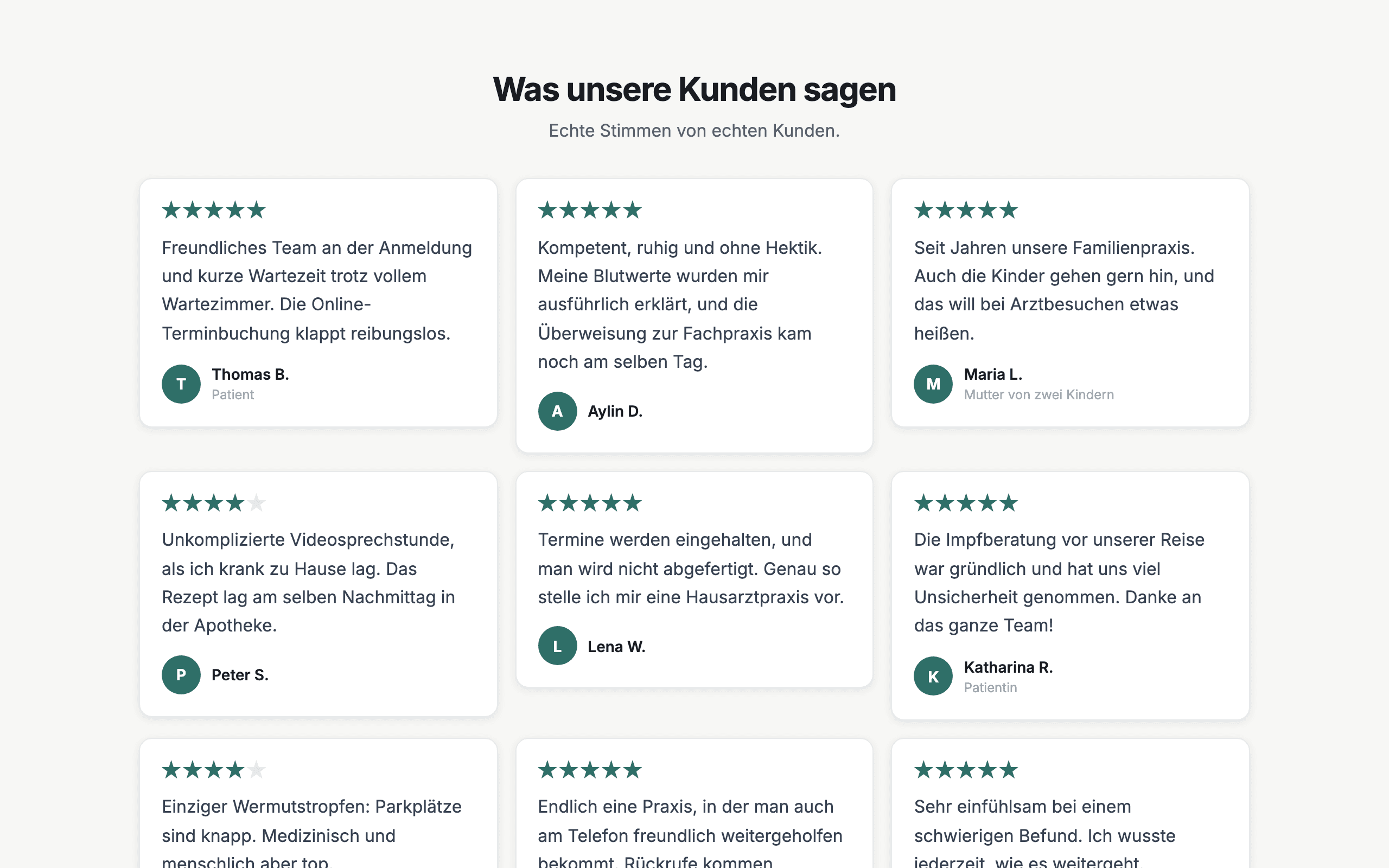
The review wall shows member voices and imported Google reviews on a dedicated page of your website, and new reviews appear by themselves.
See the widgetSlider
The slider shows one review after another at full width, which suits the page with prices and trial sessions, where prospects decide.
See the widgetWhat you get
- Consent with audit log
- Name display you choose
- Withdrawal by link
- QR code for front desk and locker room
- Google import marked “via Google”
- Email invitations
- Approval before publishing
- Widgets for your website
Frequently asked questions
Do members have to appear with their full name and photo?
No, you set the name display to “Full name”, “First name and initial”, “Initials only” or “Anonymous”. With initials or anonymous, neither photo nor job title is shown. Members can also hide their own name when they send their review.
Can I show my Google reviews too?
Yes, Mocha can import reviews from your Google Business Profile and show them in your widgets next to the reviews from your form, marked “via Google”. Google returns only a small selection per request, and Google decides which. You can import by hand on every plan, and automatically every day on the Pro plan. Imported reviews have no consent recorded in Mocha.
How do members and trial visitors get to the form?
Through a QR code on a stand or poster at the front desk, a sticker in the locker room or a card you hand out after a trial session, and also through a link in your email signature or an invitation by email. Printed codes stay valid even if you change the form later.
What happens when a member no longer wants to be named?
The personal link every person receives lets them withdraw their consent at any time. The review then no longer appears in any widget. The log still shows when consent was given and when it was withdrawn.
Can members also review on Google after sending their feedback?
Yes, on the Pro plan. The thank-you page shows a button to your Google review page after every review, regardless of the star rating. Google prohibits asking only satisfied customers for reviews. Whether someone writes on Google is up to each person.
Where is the data stored, and what about consent?
The application and database run on servers in Germany (Hetzner). Photos and videos are stored by the EU provider Bunny.net. For emails and AI features, the content they need is sent to service providers in the USA (Resend, Anthropic); the details are in the privacy policy. Mocha is not legal advice.
Let your members speak in the way that feels right to them.
Free and without a credit card. The form and QR code take just a few steps to set up.
Start for free